
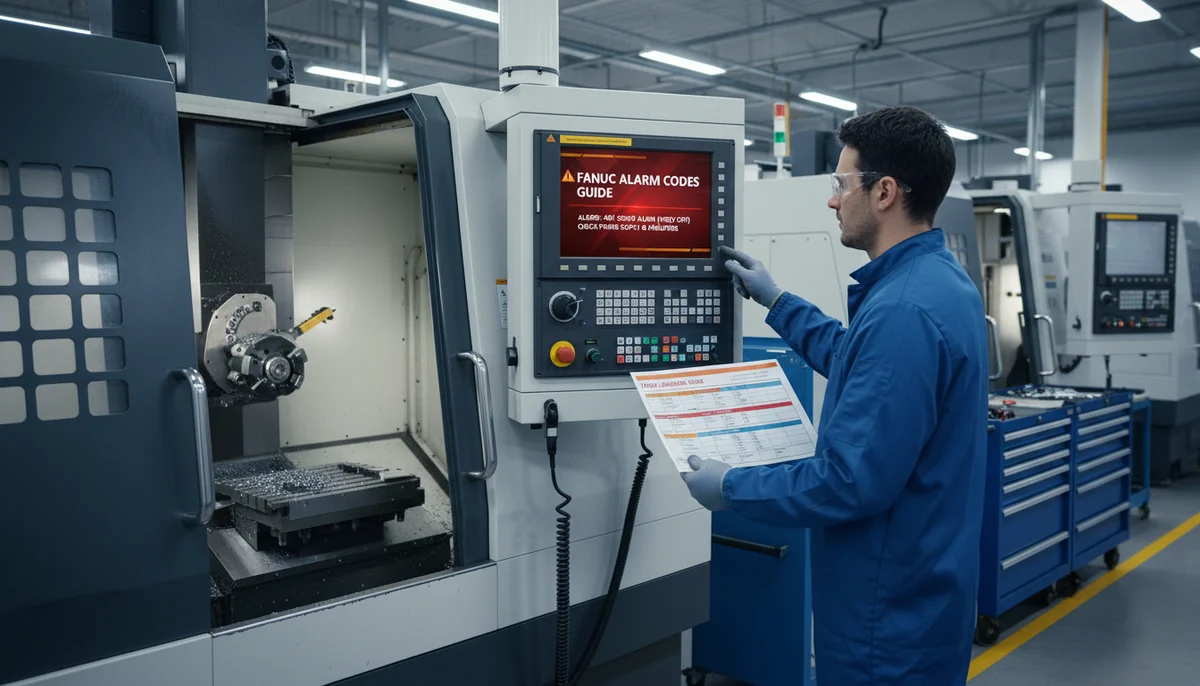
Fanuc alarm screens can be intimidating under production pressure, but the code itself is only one part of diagnosis. Start by identifying the alarm group: servo, spindle, overtravel, PMC, or system-level. Grouping the fault narrows the likely subsystem before you touch parameters or hardware.
A common mistake is clearing alarms repeatedly without recording context. Always note axis position, program state, recent offsets or tool changes, and whether the fault appears at power-on or during motion. This snapshot often reveals if the trigger is logic, mechanical load, or feedback integrity.
For servo-related alarms, compare commanded versus actual movement and inspect encoder cable condition and grounding integrity before replacing motors or drives. In many cases, intermittent connector issues and contaminated cabinets are responsible for recurring nuisance faults that look like component failures.
Where the alarm indicates a deeper control issue, escalate carefully: back up parameters, ladder, and offsets first, then apply changes one step at a time. Controlled troubleshooting protects machine recoverability and avoids creating secondary faults that can extend downtime.
How to Use This Guide
Fanuc alarms are prefixed by type:
| Prefix | Group | Typical Cause |
|---|---|---|
| SV | Servo | Motors, drives, encoder feedback |
| SP | Spindle | Spindle drive, motor, sensor |
| OT | Overtravel | Axis exceeded travel limits |
| OH | Overheat | Motor or cabinet thermal fault |
| PS / P/S | Program / Power Supply | G-code errors, tape I/O, power module |
| APC | Absolute Pulse Coder | Encoder battery, communication |
| FSSB | Servo Bus | Optical cable, amplifier comms |
Servo Alarms (SV)
Servo alarms relate to axis motors, amplifier modules, and position feedback. Always check for concurrent alarms before isolating a single axis — SV0401 is commonly a secondary symptom of another fault.
SV0401 — Servo Amplifier READY Signal Went Off
Definition: The servo amplifier's READY signal (VRDY) has not turned ON at power-up, or dropped out during operation. This is one of the most common servo alarms and is frequently a secondary effect of another fault rather than a failed amplifier.
Common causes:
- Emergency stop chain open (MCC contactor de-energised)
- Another primary servo alarm holding the chain open
- Blown fuse or tripped breaker in the servo power supply
- Loose or damaged cable between CNC and servo amplifier
- Faulty MCC (Magnetic Contactor) coil or associated relay
Remedies:
- Check Diagnosis No. 358 — convert the value to binary. The first "0" bit (reading right-to-left from bit 5 upward) pinpoints which axis is failing
- Verify CX3 (MCC) and CX4 (emergency stop) connector pins are making contact
- Inspect circuit breakers and fuses at the servo power supply
- Confirm the emergency stop circuit is complete and no E-stop is active
- Check all cable connections between the amplifier and motor for secure seating
- If DGN 358 consistently points to an amplifier fault and all external circuits are verified good, replace the servo amplifier
SV0403 — Hardware/Software Mismatch
Definition: The servo software version is incompatible with the axis control hardware. Usually occurs after a servo card or control board replacement with the wrong flash file.
Remedies:
- Verify the correct servo software (SERVO software) is loaded for the axis card installed
- Contact FANUC service — this cannot be resolved by parameter changes alone
- Do not repeatedly power cycle; this can corrupt the flash memory further
SV0404 — Servo READY Signal Always On
Definition: The servo amplifier's READY signal is asserted before the CNC commands it — a safety violation. The drive believes it is ready when the control has not enabled it.
Common causes:
- Welded relay contact inside the amplifier (stuck closed contactor)
- PCB damage in the amplifier output stage
- Faulty axis control card commanding the wrong state
Remedies:
- Disconnect the command cable (CN1) from the amplifier — if the alarm persists, the fault is on the CNC side (axis card)
- If the alarm disappears with CN1 disconnected, the amplifier relay is stuck — tap relays lightly as a temporary check
- In most cases the servo amplifier requires replacement due to damaged relay logic or optocouplers
- Parameter P1800#1=1 can suppress this alarm in rare special applications — not a substitute for hardware replacement
SV0406 / SV0411 — Excess Error (Moving)
Definition: The axis positional deviation (following error) exceeded the limit set in Parameter 1828. The motor cannot physically keep up with the commanded speed. SV0411 is the moving-axis variant; SV0406 is typically the general excess error before the more specific classification.
Common causes:
- Mechanical binding — dry ways, worn guides, debris in the slide rails
- Excessive cutting load (dull tool, deep DOC, wrong feedrate)
- Loose encoder cable or broken wire in the feedback circuit
- Insufficient servo gain for the mechanical load
- Power supply voltage drop under load
Remedies:
- Establish when the fault occurs — rapid traverse (G00) faults point to friction; cutting feed faults point to load or tool condition
- Check the servo current monitor page while moving the axis — abnormally high current confirms mechanical load
- For gravity axes (Z-axis vertical), verify the brake releases fully when the axis is energised
- Inspect the encoder connector, cable, and shield integrity — replace if damaged
- Increase Parameter 1828 (error limit) as a temporary measure only — this masks the real problem
- Review Parameter 2021 (PGain) — too low a value reduces servo response
- Check input voltage under load — voltage dips during acceleration indicate undersized supply wiring
SV0417 — Illegal Digital Servo Parameter
Definition: The digital servo software detected an illegal or out-of-range value in a servo parameter during initialisation.
Remedies:
- Check all servo-related parameters against the machine's original parameter backup
- Verify Parameter 2020-series (motor constants) match the installed motor
- On machines with axis replacement history, confirm the correct motor code parameters are set
- Reload the correct parameter set from backup — do not use guessed values
SV0420 — Synchronous Torque Excess
Definition: In gantry or dual-drive synchronised axis pairs, the torque difference between the master and slave axes exceeded Parameter 2031. The mechanical coupling between the two drives is uneven.
Common causes:
- Mechanical misalignment between the two drive shafts
- Uneven load distribution (twisted or distorted frame)
- Incorrect parameter pairing for the synchronous axis set
Remedies:
- Verify Parameter 2031 is set to the correct threshold for the machine
- Confirm axis pairing parameters (P8130, P1022/P1023 for pair grouping) are correct
- Check the torque balance on the machine's servo monitor screen — compare master vs slave current draw
- Inspect the mechanical coupling and linearity of both axes independently with a test indicator
- Adjust Parameter 2031 only as a temporary measure — investigate the mechanical cause
Spindle Alarms (SP)
Spindle alarms relate to the spindle motor, its drive module, and speed/thermal sensing. Belt-driven machines should always have belt condition checked as a first step before assuming drive electronics have failed.
SP9001 — Motor Overheat
Definition: The thermostat switch embedded in the spindle motor windings has opened — motor temperature exceeded its continuous rating. This is a "hard" thermal alarm; the motor will not run until it cools and the alarm is reset.
Common causes:
- Cooling fan failure (most common — fan bearings seize or motor burns out)
- Prolonged high-load operation at low RPM (low airflow, high torque)
- Thermostat wiring broken or disconnected at the motor connector
- Thermostat switch itself failed open-circuit
Remedies:
- Allow the motor to cool for at least an hour — if the alarm clears on reset, it was a genuine overheat
- Check the cooling fan — verify it spins freely and airflow is unobstructed
- Perform a continuity test on the thermal pins at the motor side of the connector — infinite resistance confirms a failed thermostat
- Check the signal cable between motor and drive for breaks, especially near connector bodies where flexing occurs
- For third-party electro-spindles, verify temperature detection parameters P4397#4 and P4134 match the sensor type
- Note: temporarily jumping the thermal circuit at the drive connector is a diagnostic aid only, not a repair
SP9002 — Speed Deviation / Excessive Load
Definition: The actual spindle speed does not match the commanded speed within the allowable tolerance. The motor cannot accelerate or maintain the required RPM. On older machines this was commonly caused by belt slip.
Common causes:
- Belt slippage or wear on V-belt / synchronous belt drives
- Excessive cutting load — spindle load meter pegging at 100%+
- Acceleration time constant set too aggressive for the motor/drive combination
- Speed sensor (magnetic pickup) gap incorrect or metal debris on the sensor
- Missing input phase (three-phase machines — one leg failed)
Remedies:
- Check and visually inspect the spindle belt — replace if cracked, glazed, or loose; re-tension if slack
- Monitor the spindle load meter during acceleration — if it hits 100%, increase the acceleration time constant (Parameter 4082)
- Verify all three phases of 200V input power are present with a multimeter at the drive input
- Check the magnetic speed pickup — gap should be 0.1–0.15 mm; clean any accumulated metal swarf
- Review Parameters 4028 and 4029 (spindle output limits) are correctly set for this motor
- Reduce the cutting load and test — if the alarm clears, review the machining parameters
SP9007 — Overspeed
Definition: The spindle motor exceeded 115% of its maximum rated speed. This is a protective alarm triggered when the speed feedback exceeds the safe limit.
Common causes:
- Incorrect motor code parameter after motor replacement (Parameter 4133 — spindle motor type)
- Incorrect gear ratio parameters after a spindle repair
- Spindle drive transistor failure causing uncontrolled acceleration
- Speed sensor failure giving false high readings to the control
Remedies:
- Check Parameter 4133 (spindle motor code) — confirm it matches the installed motor
- Perform a spindle initialization (P4080-series and all related motor constant parameters)
- Inspect the spindle drive module LEDs for additional alarm codes that may indicate the root cause
- Verify the phase sequence of the spindle power cable — swapping two phases can cause overspeed on some drives
- Back up all spindle parameters before making any changes
Overheat Alarms (OH)
OH0900 — System Overheat Warning
Definition: A general overheat condition has been detected in the control cabinet or a drive module. OH-series alarms are raised by thermistors inside power supply and amplifier units.
Remedies:
- Check the cabinet ventilation — filter blockages, failed cabinet cooling fans, or ambient temperature too high
- Inspect the heat sink on the servo and spindle amplifiers — clear any dust or debris restricting airflow
- Verify the cabinet thermostatic cooling fan is operational
- If the alarm persists with cool cabinets, check parameter settings for overheat thresholds
Overtravel Alarms (OT)
Overtravel alarms indicate an axis has exceeded its permitted travel range. These are defined by parameters and set by the machine tool builder — values vary between machines.
| Alarm | Name | Definition | Typical Parameters |
|---|---|---|---|
| OT0300 | Overtravel + (Soft Limit 1) | Positive direction exceeded stored stroke check 1 | P1320 / P1326 |
| OT0301 | Overtravel − (Soft Limit 1) | Negative direction exceeded stored stroke check 1 | P1321 / P1327 |
| OT0302 | Overtravel + (Soft Limit 2) | Positive direction exceeded stored stroke check 2 | P1322 |
| OT0303 | Overtravel − (Soft Limit 2) | Negative direction exceeded stored stroke check 2 | P1323 |
| OT0304 | Overtravel + (Soft Limit 3) | Positive direction exceeded stored stroke check 3 | P1324 |
| OT0305 | Overtravel − (Soft Limit 3) | Negative direction exceeded stored stroke check 3 | P1325 |
Common causes:
- Machine datum lost after a parameter or battery fault — the control thinks the axis is further into limit than it actually is
- Reference return (homing) not completed after a power interruption
- Parameter 1320–1327 values changed or corrupted
- Physical obstruction during a program run pushing the axis into the limit
Remedies:
- Jog the axis away from the overtravel direction using the handwheel or JOG mode
- If the machine has a separate hardware (hard) limit switch, physical reset may be required at the switch location
- To recover from soft limits without moving the axis: hold [P] and [CAN] on the FANUC MDI panel while powering on the control — this bypasses soft limits temporarily
- Once recovered, perform a reference return to re-establish machine datum
- If parameters are suspected corrupt, reload from a known-good backup
P/S Program Alarms
P/S alarms are triggered by incorrect G-code, parameter errors, or data input faults. They are among the most common day-to-day alarms on a production floor and are usually programmer or CAM post-processor errors.
PS001 — TH Alarm (Parity Error)
Definition: A character with incorrect parity was received from tape, RS-232, or network input. The data format is corrupted.
Remedies:
- Correct or re-punch the tape / re-send the program
- Check serial communication settings (baud rate, parity, stop bits) match between CNC and sending device
- If occurring during DNC传输, inspect the comms cable and connectors
PS002 — TV Alarm (Odd Character Count)
Definition: The number of characters in a block is odd. The TV (Tape Vertical) check detected this. Only active when TV checking is enabled via parameter.
Remedies:
- Correct the program — an even number of characters is required per block
- This is often caused by missing or extra spaces in NC code — review the offending block carefully
PS003 — Too Many Digits
Definition: Data entered exceeds the maximum number of digits allowed for that address. Most NC addresses accept a maximum of 8 digits including sign and decimal.
Remedies:
- Shorten the numeric value in the program
- Check that the program line number (N-address) does not exceed 9999 for standard FANUC
PS005 — No Data After Address
Definition: An address letter (e.g., X, Y, Z) is not followed by a numerical value — instead another address or EOB (;) follows directly.
Remedies:
- Review the program line — each address must be followed by its numeric value
- Common mistake: typing
G00 X;instead ofG00 X0;
PS010 — Improper G-Code
Definition: A G-code was programmed that is either illegal or not installed as an option on this control model.
Remedies:
- Check the offending line in the program against the machine's G-code list
- If the code is correct for the machine, verify the control model — some G-codes require specific option boards
- If using CAM output, the post-processor may be configured for a different control — re-post for FANUC 0i or 0i-Mate as appropriate
PS011 — Illegal NC Address
Definition: An address appears where the control does not expect one, or Parameter 1020 (axis name assignment) is not configured for an axis referenced in the program.
Remedies:
- Correct the address error in the program
- Verify Parameter 1020 is set correctly for all axes on the machine
- If this occurs during a canned cycle or subprogram call, check the syntax of the cycle parameters
PS014 — Illegal Format of Program Number
Definition: The program number (O-word) or sequence number (N-word) is missing its numeric value — e.g., O followed immediately by ; or another character.
Remedies:
- Correct the program — all O-numbers and N-numbers must be followed by a valid integer
PS028 — Illegal Plane Selection
Definition: Plane selection G17/G18/G19 commanded axes that overlap or are redundant. For example, selecting G18 (XZ plane) on a two-axis lathe where Y does not exist as a linear axis.
Remedies:
- Check the plane selection G-code matches the machine configuration
- Review the program's use of G17/G18/G19 — ensure the axes in the program match the selected plane
- If using CAM, verify the post-processor is set for the correct machine configuration (lathe vs mill)
APC Alarms (Absolute Pulse Coder)
APC alarms relate to the absolute encoder battery circuit and are particularly common after battery failures or during control transfers.
| Alarm | Name | Definition |
|---|---|---|
| APC300 | APC Communication Error | Pulse coder communication failure |
| APC301 | APC Overrun Error | Data overrun on the APC communication line |
| APC302 | APC Frame Error | Framing error in APC data transmission |
| APC303 | APC Pulse Error | Invalid APC data pulse |
| APC306 | APC Battery Low Voltage | Battery voltage below safe level — battery must be replaced |
Remedies:
- APC306 (Battery Low): Replace the battery with the machine powered on to preserve the absolute position — do not power off until the new battery is installed, or an absolute reference return will be required
- For APC communication alarms (300–303): check the encoder cable for damage, check the connector at both encoder and drive ends, and verify the cable shield is grounded
- After battery replacement, confirm the absolute position is correct by referencing all axes
Quick-Reference Checklist
Before reaching for a replacement drive or motor, work through this sequence:
- Record the full alarm code — note any sub-codes or cause codes displayed
- Check Diagnosis screens (DGN 358 for servo, DGN 720–723 for FSSB, spindle DGN page for load/speed)
- Check for concurrent alarms — resolving the first alarm often clears dependent ones
- Inspect cables and connectors — a loose encoder connector can cause SV0401, SV0411, and SP9002 simultaneously
- Verify power — input voltage, phases, and MCC contactor operation
- Back up before changing parameters — you may need to restore to get the machine running again
- One change at a time — verify each step before moving to the next
This guide covers the most common FANUC alarm codes encountered on FANUC 0i, 0i-Mate, 16i, 18i, and 21i series controls. Alarm definitions and parameter numbers vary between control generations — always cross-reference against the specific machine's electrical manual and parameter document. If in doubt, contact a qualified CNC service engineer.